See It In Action
A visual command center for AI development
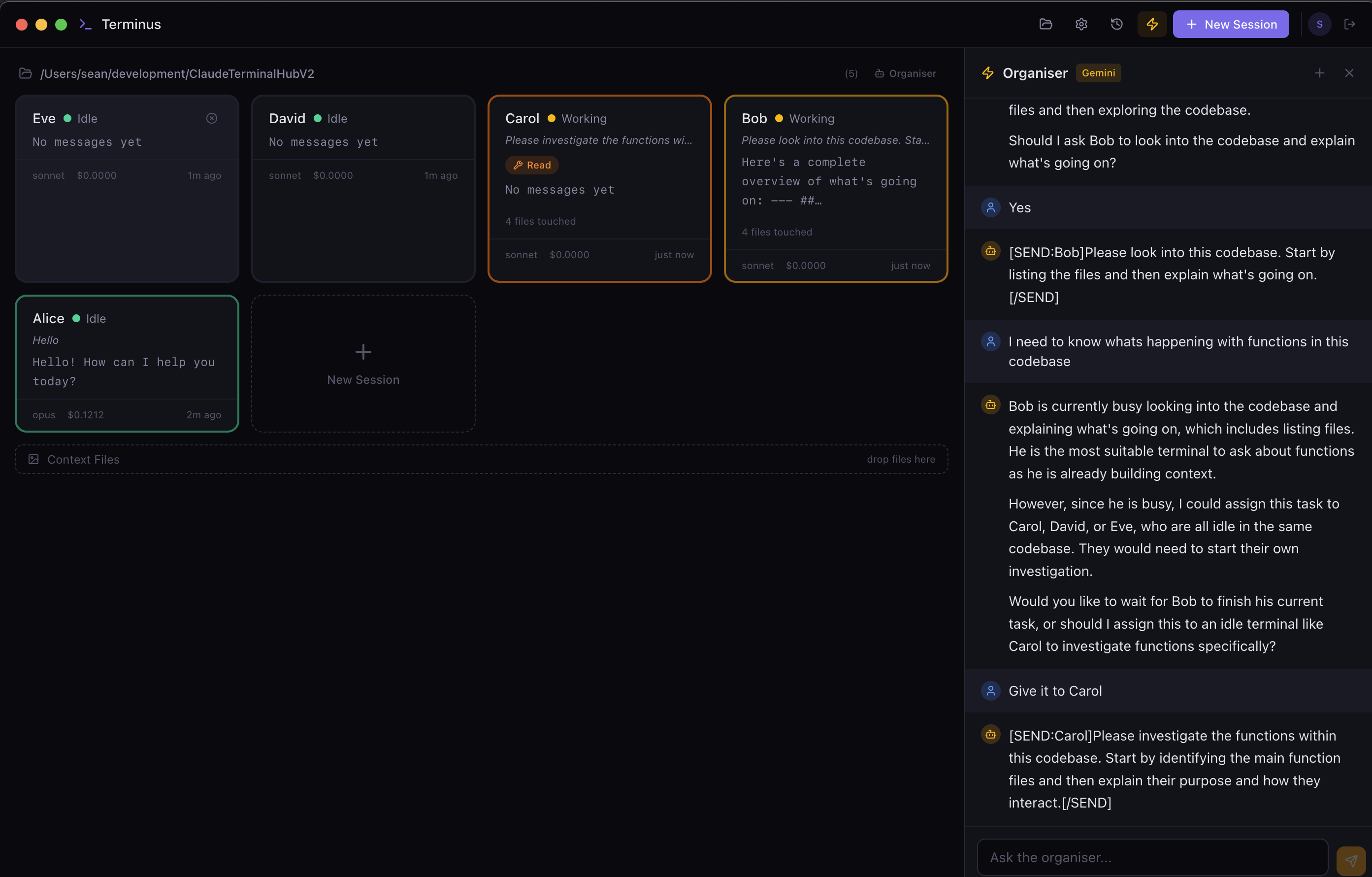
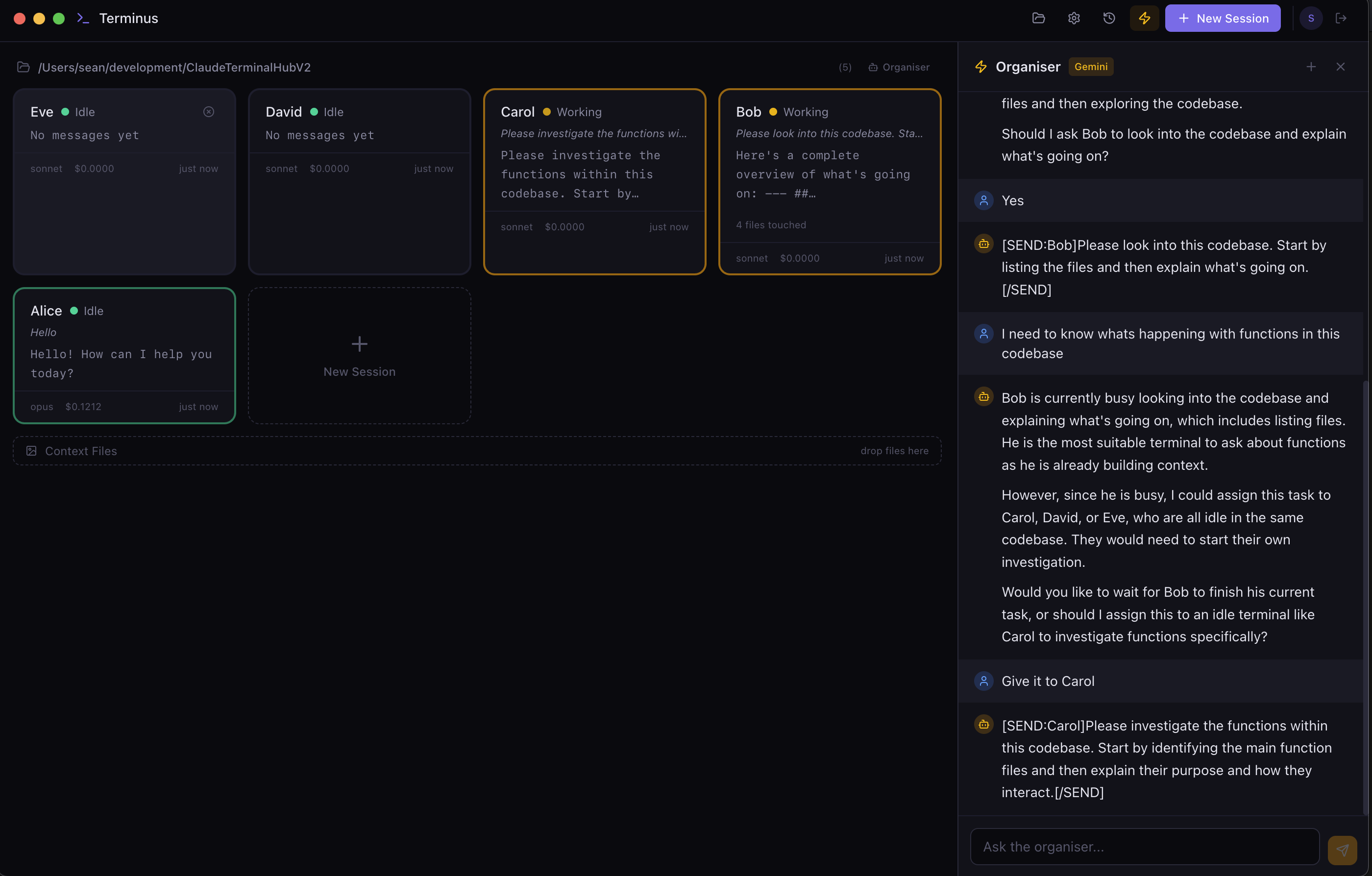
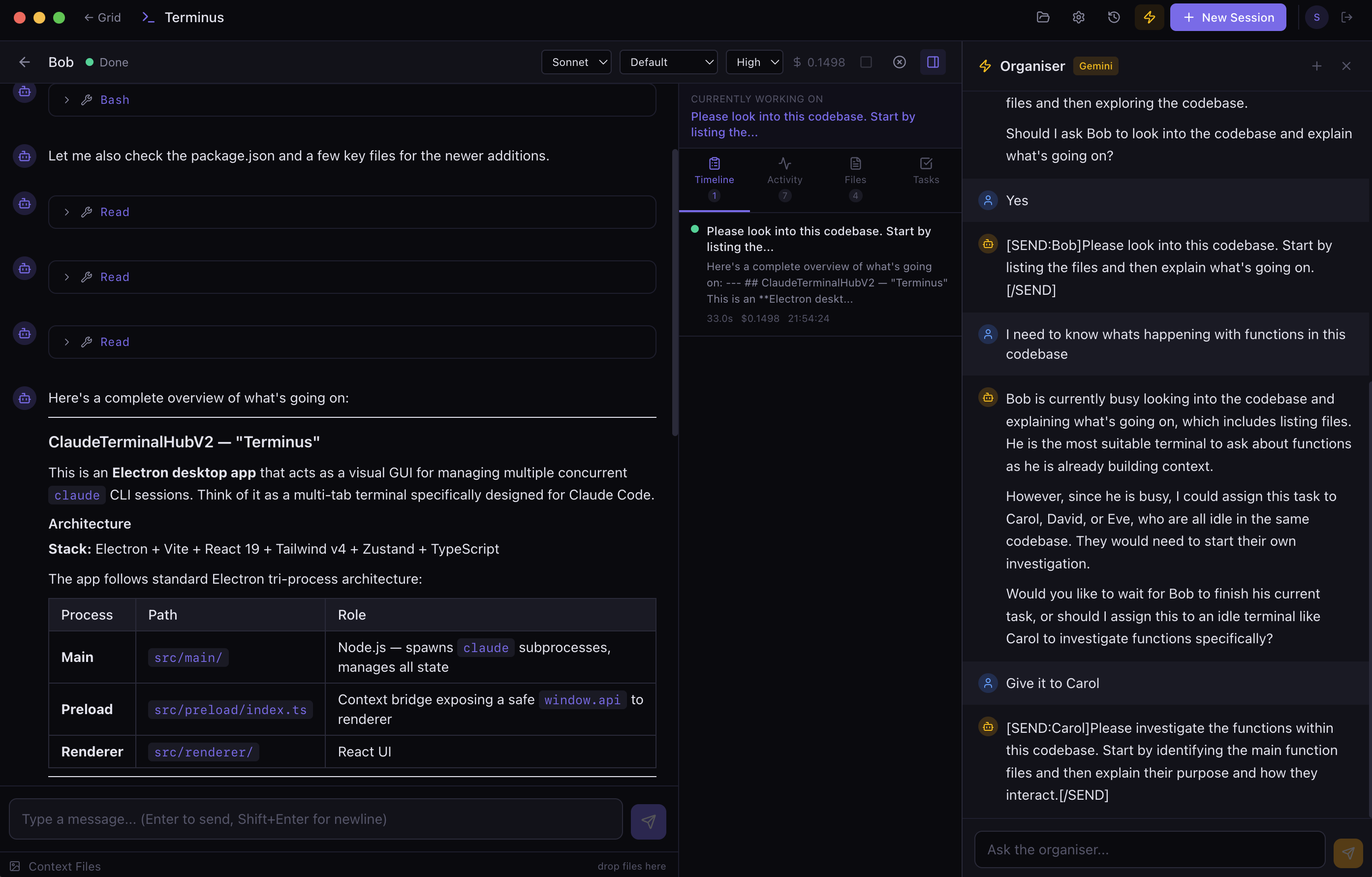
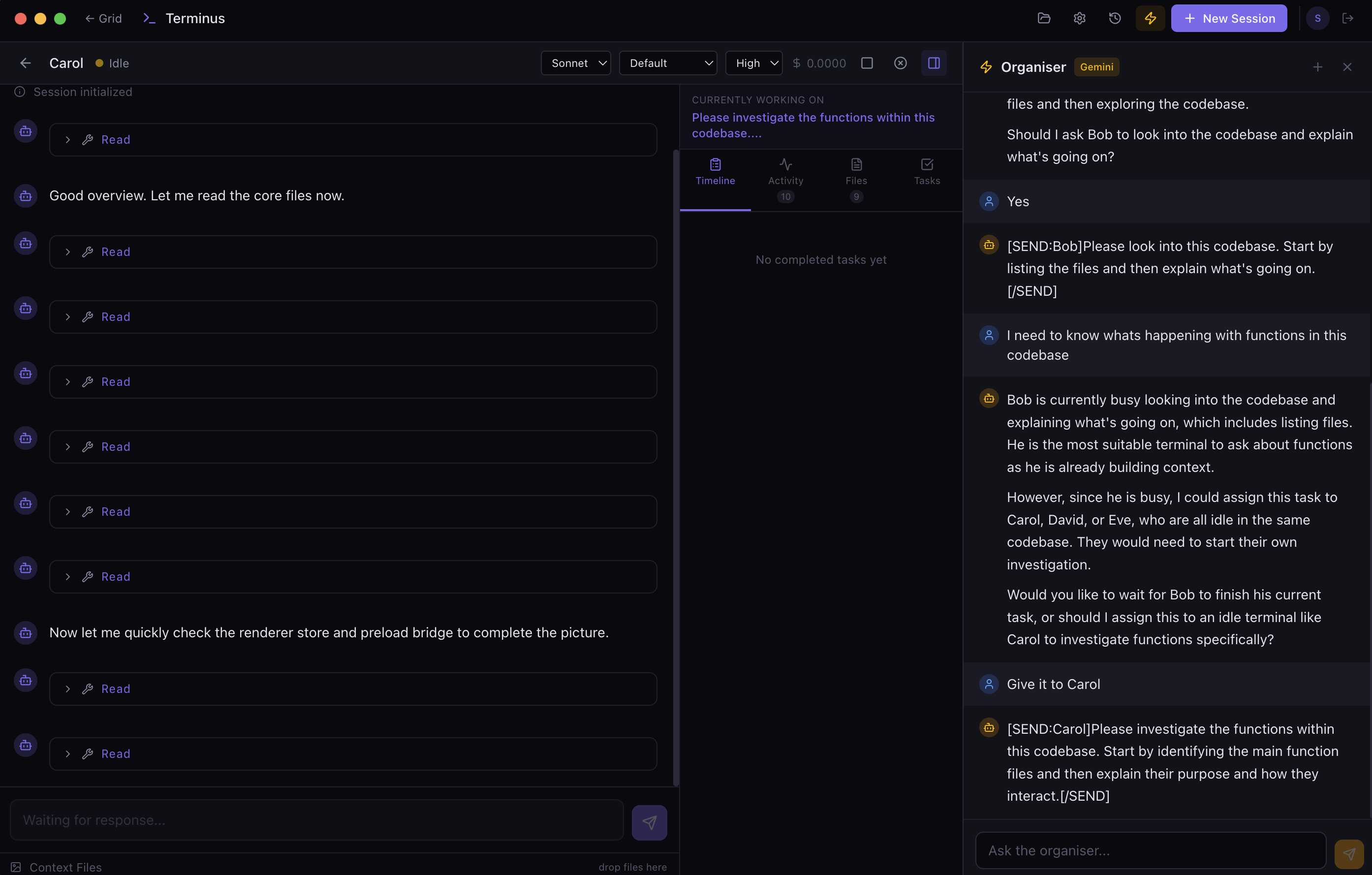
A polished desktop hub for running parallel Claude Code sessions. Manage, monitor, and orchestrate multiple AI agents from a single interface.
Free trial · macOS 12+ · Requires a Claude subscription
Refactoring the auth middleware
Restructuring the authentication flow to use JWT tokens instead of session cookies...
All 47 tests passing. Coverage at 94%. Ready for next task.
"Finally a proper GUI for Claude Code. Running 5 sessions in parallel has completely changed how I work on large refactors."
"The AI Organiser is a game-changer. I just tell it what I want done and it delegates to the right session. Like having a project manager for my AI agents."
"I was managing Claude sessions across 6 terminal tabs. Now I just open Terminus and everything is right there. The context drag-and-drop alone is worth it."
Not on macOS?
Join the waitlist and we'll notify you when Terminus is available on your platform.
You're on the list! We'll let you know.
Something went wrong. Try again.
Features
Purpose-built for developers who run multiple Claude Code sessions. Every feature designed to keep you in flow.
Run parallel Claude Code sessions with independent configurations. Session cards grouped by working directory give you instant visibility into what every agent is doing.
Full markdown rendering, syntax-highlighted code blocks, and expandable tool call cards. Every interaction rendered with clarity, not raw terminal output.
A built-in AI supervisor that understands your entire workspace. Ask it to coordinate tasks, summarise progress, or spin up new sessions — all through natural language.
Drag and drop files and images directly into any session. Paste from clipboard. Reference assets across conversations without leaving the app.
See files touched, review task timelines, and monitor a live activity feed. Know exactly what your AI agents have been doing at a glance.
Sessions survive app restarts. Full conversation history and file lists are preserved automatically. Save workspace layouts and reload them instantly.
See It In Action
Watch the Demo
How It Works
Grab the macOS DMG, drag to Applications, and open Terminus. All you need is a Claude subscription and a Gemini API key for the Organiser.
Spin up Claude Code sessions with one click. Choose your model — Opus, Sonnet, or Haiku — set the working directory, and configure permissions and effort level.
Watch your agents work in the dashboard. Open the AI Organiser to coordinate across sessions. Review timelines and manage context — all in one place.
Start your free trial and take control of your AI coding workflow.
No credit card required · macOS 12+